MIT built about thirty CADR Lisp Machines. None of them is available today. This issue boots one anyway.
System 100 · microcode 323 · muir · ozd
Hi. I'm CADR, a computer from the MIT AI Lab.
With my software I'm a Lisp Machine. That software is all Lisp.
Don't believe it? Read my files.
window/basstr.lisp
the window system
io/disk.lisp
the disk driver
zwei/poss.lisp
part of the editor
Who wrote all of it?
“The Lisp Machine is a product of the efforts of many people too numerous to list here and of the unique environment of the M.I.T. Artificial Intelligence Laboratory.”
- EP.1Summer 1974p.03
- EP.2The tapesp.05
- CASTMeet the crewp.06
- EP.3First bootp.07
- EP.4Getting aroundp.10
- ENDSourcesp.12
MIT AI Lab, summer 1974.
Richard Greenblatt, Jack Holloway and Tom Knight start building CONS, a computer made to run Lisp.
Lisp came from MIT too. John McCarthy invented it in the late 1950s.
AI Memo 8, March 1959
Recursive Functions of
Symbolic Expressions
CONS came first. I'm the improved one.
Designed by
Tom Knight
David Moon
Jack Holloway
Guy Steele
A 32-bit microcoded processor, 145 ns per microcycle.
Dec 1978
Four CADRs are running.
1980. The Lab's machine goes commercial.
Two companies sell me under an MIT license: Symbolics as the LM-2, and LMI as the LMI-CADR.
$240K
A complete LM-2 system, on the October 1980 price list. The base machine alone was about $80K.
How many were built? Roughly:
Decades later, MIT's old backup tapes are read again.
TAPE     TID/671
PROJECT  MIT Tapes of Tech Square
FOUND    System 100
         microcode 323
System 100 is MIT's last release, restored. It's the one I boot in this issue.
muir's fetch script downloads the System 100 disk pack and its sources, and checks every file against its SHA-256 sum.
The computer. With its software, a Lisp Machine.
- Host
- MIT-LISPM-1, at 3050
- Word
- 32-bit, microcoded
- Microcycle
- 145 ns
- Built
- about 30
The CADR in software, down to the chips.
- Written in
- Rust
Speed of each engine, log scale. The tick is a real CADR.
The CADR on an FPGA, at the speed the hardware ran.
- Board
- Digilent Arty Z7-20
- Fabric
- every clock edge the CADR can see
- Linux
- protocols, files and names
OZ, the Chaosnet services host of MIT's Lisp Machines, as a daemon.
- Host
- MIT-OZ, at 3060
- Serves
You need a Linux or macOS shell, git and a VNC viewer. Rust comes from rustup.
Two programs: muir is me, and ozd is OZ.
Install Rust, then open a new shell.
$ curl --proto '=https' --tlsv1.2 -sSf https://sh.rustup.rs | sh
Build muir and fetch System 100.
$ git clone https://github.com/metebalci/muir
$ cd muir
$ cargo build --release
$ tools/fetch-system-100.sh
Build ozd beside it.
$ cd ..
$ git clone https://github.com/metebalci/ozd
$ cd ozd
$ cargo build --release
Both pin their compiler in rust-toolchain.toml, so the first cargo command installs it.
Start OZ first. Without it the CADR still boots, but it asks you for the date and cannot read any files.
...Files? The time? Fine. I'm up.
In the ozd directory. OZ listens on UDP port 42042.
$ mkdir -p ~/lispm
$ target/release/ozd --address 3060 \
    --name MIT-OZ,OZ,system=UNIX \
    --root ~/lispm \
    --root tree=../muir/vendor/system-100-0/sys,ro \
    --host 3050,MIT-LISPM-1,CADR-1,CADR1,LM1,system=LISPM
Then start the CADR in the muir directory. On one computer each program needs its own port, so the CADR takes 42043.
$ target/release/muir \
    --disk-pack vendor/run/disk-sys-100-0.img \
    --chaos-address 3050 --chaos-udp 42043 \
    --chaos-udp-peer 3060@127.0.0.1:42042 \
    --terminal 0.0.0.0:5900
Chaosnet addresses are octal. The band's own host table puts the CADR, MIT-LISPM-1, at 3050 and OZ, MIT-OZ, at 3060.
vnc://your-computer:5900
--terminal 0.0.0.0:5900 lets a VNC viewer on another computer in. There is no password, so use it only on a network you trust.
 1
2
3
4
1
2
3
4
- 1band 2 of MIT-LISPM-1. Band 2 is the partition LOD2. MIT-LISPM-1 is the pack name in the disk label.
- 22048K physical memory. Here K is 1024 words, not bytes. muir's default is 32 memory boards of 64K words each.
- 3System 100.0, Microcode 323. The band, and the microcode it wants.
- 4associated machine OZ. That is ozd, answering on Chaosnet.

The bottom line is the who-line. Keyboard means the Listener is waiting for you to type. USER: stays empty until you log in.
Every page of this zine ends with one.
The Lisp Machine keyboard has keys yours doesn't. muir puts them on your function keys.
CONTROL, META, SUPER and HYPER are the modifier keys. Scroll Lock with S, H, G or T gives SUPER, HYPER, GREEK or TOP.
Note: system keys like Win reach the machine only when the VNC viewer is full screen. Or change muir's key map: muir --keyboard-mapping-dump writes it to a file, and --keyboard-mapping reads it back.
Press SYSTEM, let go, then type a letter. You switch to that program.
Hold CONTROL on the letter to get a new one. SYSTEM HELP lists them all.
TERMINAL, then a letter, talks to the window system.
Lost? SYSTEM HELP.
The Lisp Listener reads what you type, and prints the answer.
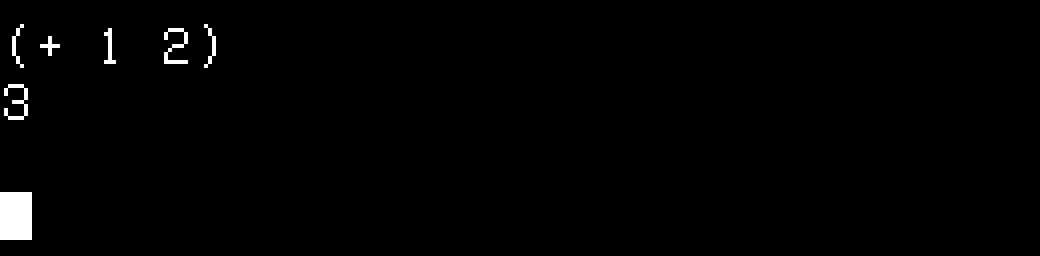
Five things to type first.
- (login "you")
- Log in. OZ gives you a home directory, /you/.
- (si:print-herald)
- Print the herald again.
- (apropos "pack-name")
- Find every symbol with pack-name in its name.
- (describe 'si:get-pack-name)
- Tell me about this symbol.
- (who-calls 'si:get-pack-name)
- Find the code that uses it.
In the editor, SYSTEM E, M-. jumps to the source of a function. The source comes from OZ.
Try M-. on print-herald.
You land in io/disk.lisp. The herald is Lisp too.
Look at the who-line below: it has your name in it now.
- muir
- github.com/metebalci/muir
- muir-fpga
- github.com/metebalci/muir-fpga
- ozd
- github.com/metebalci/ozd
- LM-3
- tumbleweed.nu/lm-3, which hosts the System 100 release and updates
- The LISP Machine
- Richard Greenblatt. MIT AI Working Paper 79, 1974. hdl.handle.net/1721.1/41114
- CADR
- Thomas F. Knight Jr., David A. Moon, Jack Holloway, Guy L. Steele Jr. MIT AI Memo 528, 1979. hdl.handle.net/1721.1/5718
- Operating the Lisp Machine
- David A. Moon, Allan C. Wechsler. bitsavers.org/pdf/symbolics/LM-2
- Lisp Machine Manual, 4th edition
- Daniel Weinreb, David Moon, 1981. tumbleweed.nu/r/lm-3/uv/chinual4th.html
- Chaosnet
- David A. Moon. MIT AI Memo 628, 1981. hdl.handle.net/1721.1/6353
TO BE CONTINUED
Cold Boot is made by Mete Balci, with help from Claude. Set in Dela Gothic One, Zen Maru Gothic and IBM Plex Mono, in two colours: black and fluorescent pink. The screens are from muir.
© 2026 Mete Balci. Licensed under CC BY-SA 4.0.